
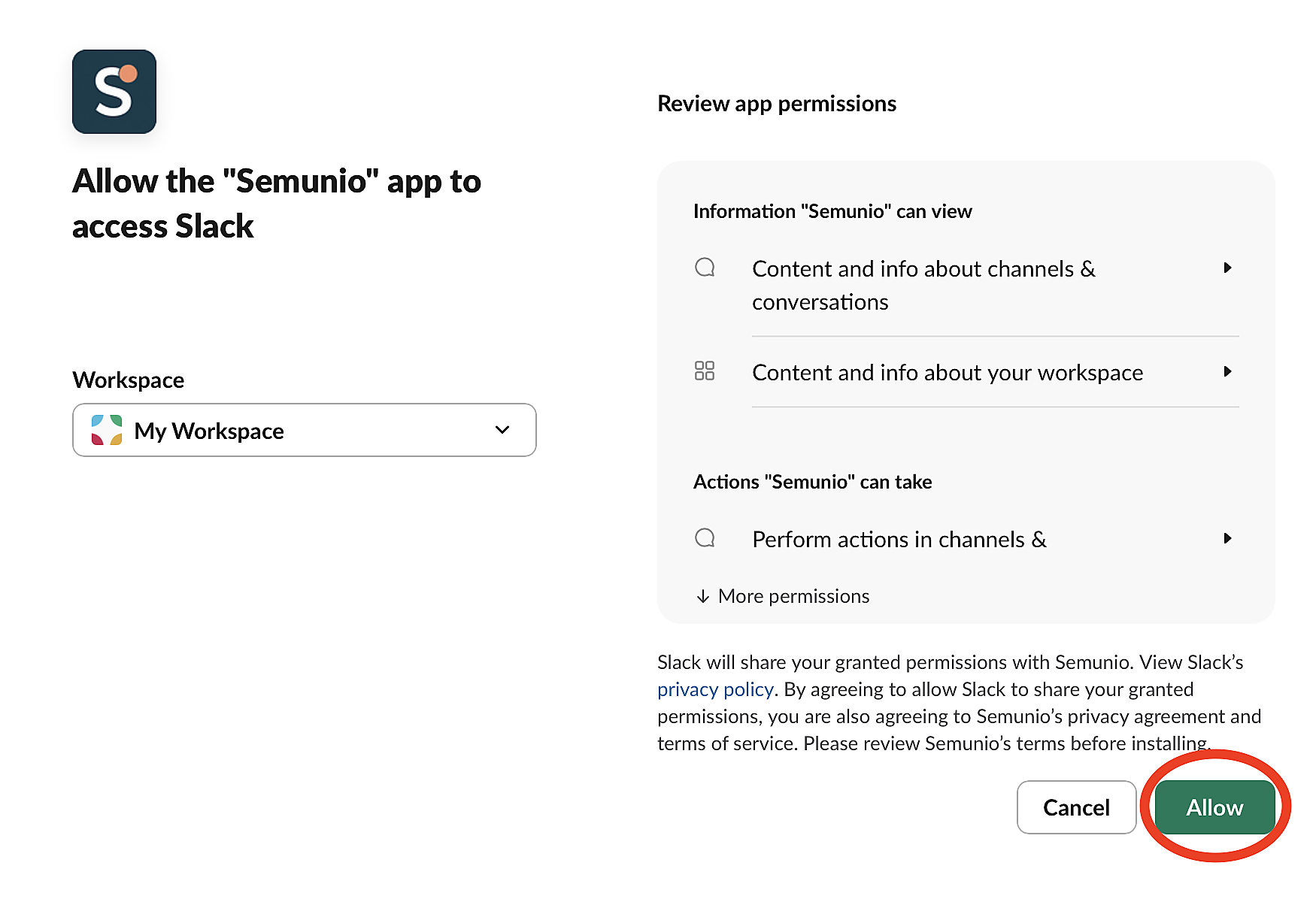
Add the app
Add Semunio to your workspace
Click Add to Slack and complete the permission step on Slack. The person installing needs the appropriate permission in the workspace.
Getting Started
Just add the app, invite it to a channel and keep the conversation going as usual.
Add to Slack
Add the app
Click Add to Slack and complete the permission step on Slack. The person installing needs the appropriate permission in the workspace.
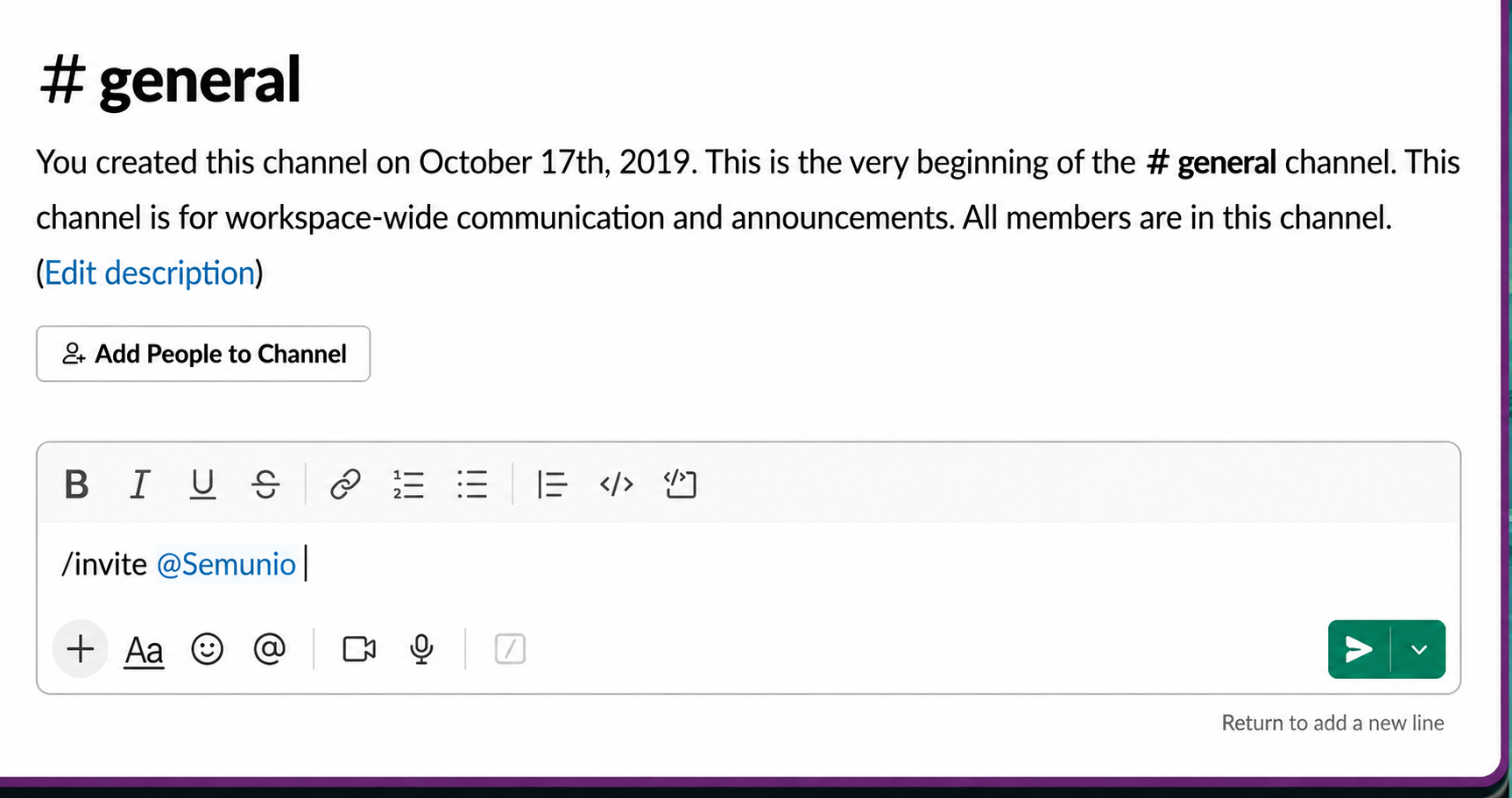
Pick a channel
In the channel you want to use, type /invite @Semunio. You do not need to create a Project or a Glossary to start translating.
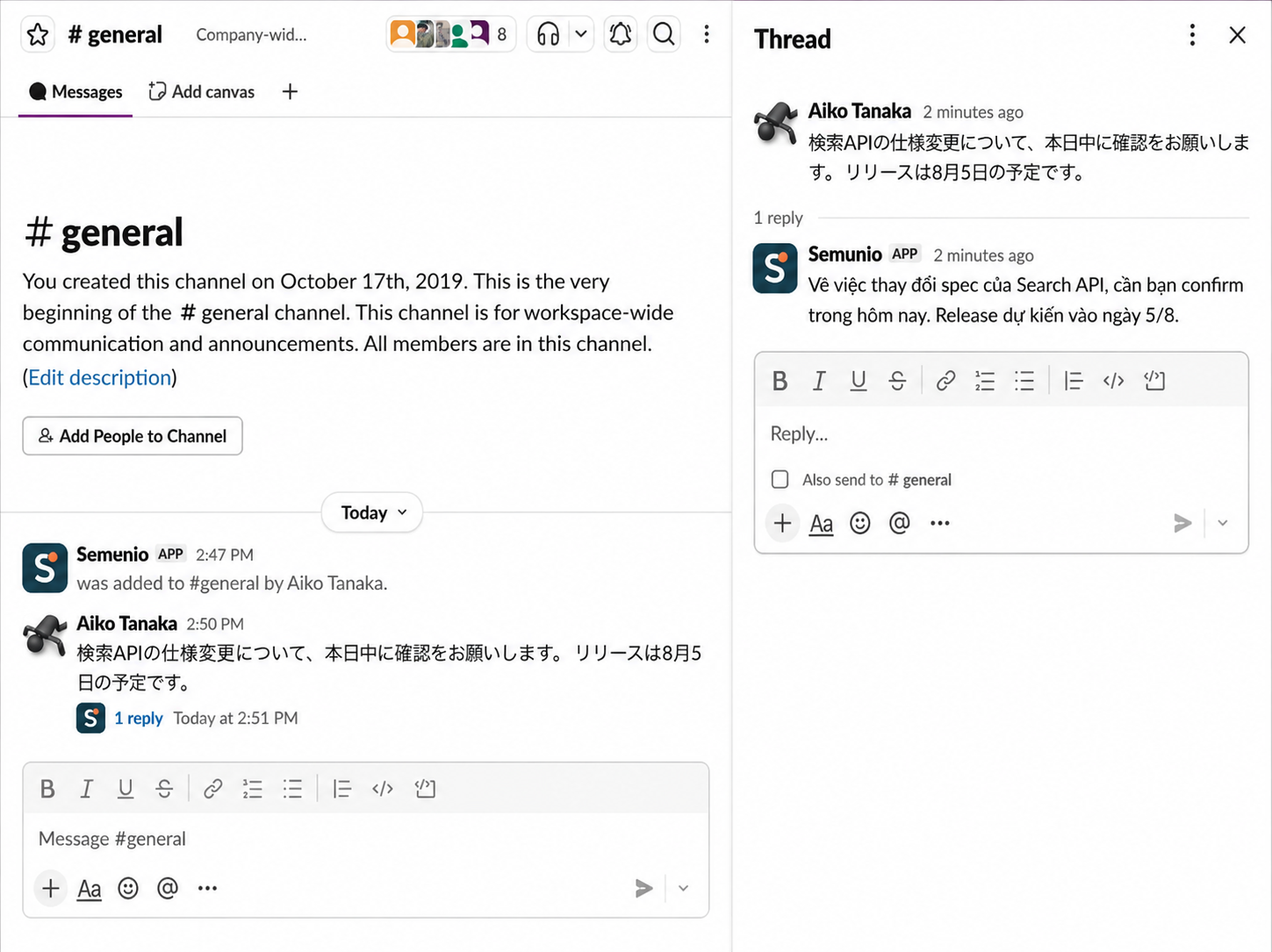
Start translating
Keep messaging in the channel. Semunio replies with the Japanese–Vietnamese translation in the thread, so the team keeps its train of thought.
Send Semunio your question; Semunio will help you continue setting up and using the app.