
In the conversation
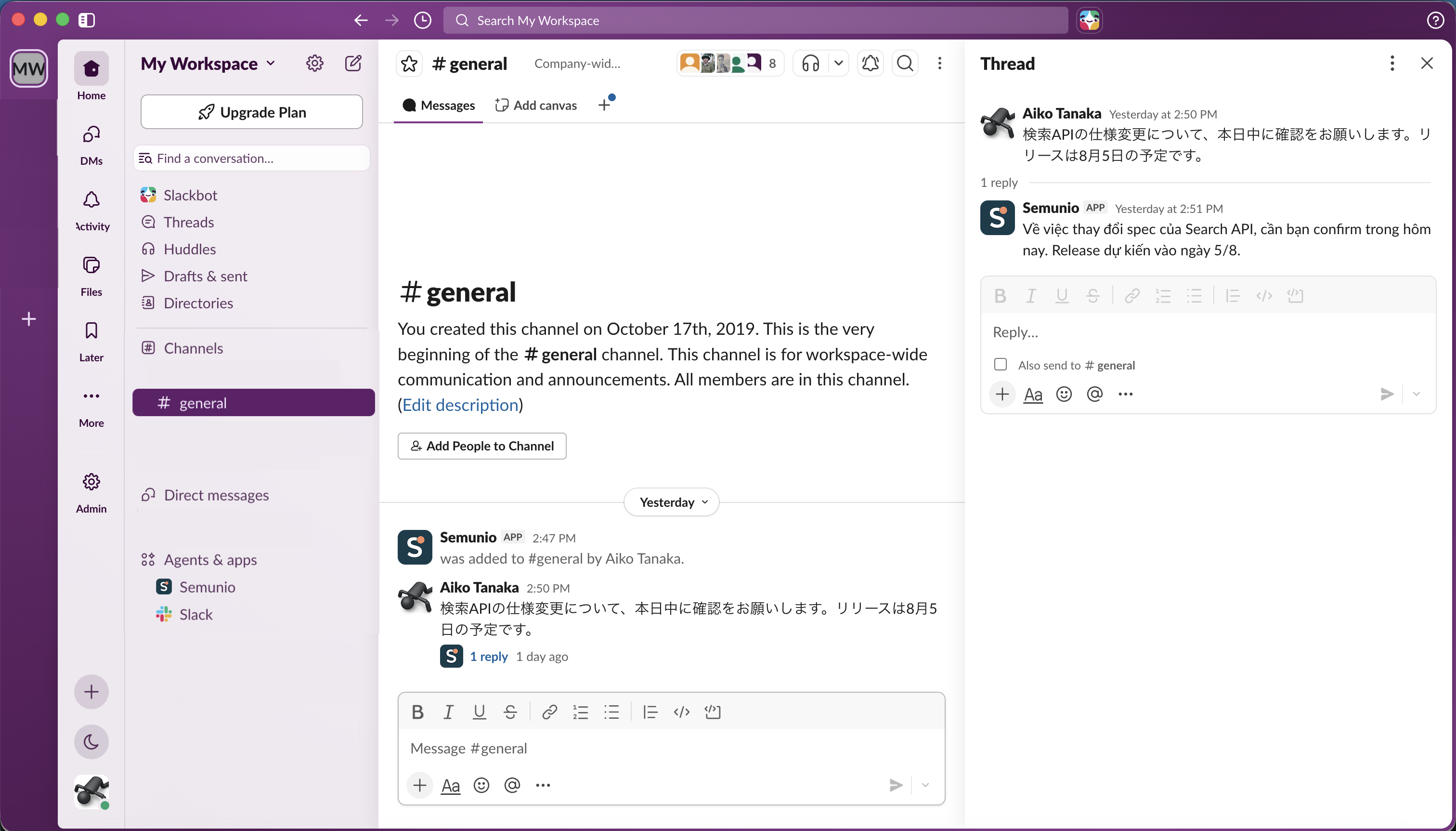
Translation right in the thread
The original message and its translation stay in the same conversation, which keeps the channel tidy and makes related content easy to follow.
Japanese ⇄ Vietnamese translation inside Slack
Semunio translates Japanese and Vietnamese messages right in the thread, so software teams keep their train of thought and their terminology consistent.
Install it in your workspace and start right in your own channel.
Up and running in minutes
Semunio works inside Slack, so the whole team can start simply without learning yet another tool.
Click Add to Slack and complete the permission step on Slack.
Pick the channel you want translated and invite Semunio in. No configuration needed to start.
Semunio replies with the Japanese–Vietnamese translation in the thread, keeping the channel's flow intact.
Features
From everyday translation to each project's own terminology, everything is handled right inside Slack.
The original message and its translation stay in the same conversation, which keeps the channel tidy and makes related content easy to follow.
Group related channels into Projects, which helps when the team works with several clients or several projects at once.
Keep wording consistent across every exchange and apply exactly the translations for specialised terms defined by the project's Comtor or BrSE.
Pricing
Every plan is counted per workspace and capped by the total number of source characters translated during the month.
For trying it out, or a workspace with light translation needs.
$0/month
For small teams and a paid pilot phase.
$19/month
For teams that use Semunio regularly.
$49/month
For organisations that need a large quota and priority support.
$99/month
Privacy & data
Semunio processes the content to be translated and the workspace configuration needed to provide the app's features. What data is stored, which services are involved and how data is deleted are set out in full in the Privacy Policy.
FAQ
Semunio is designed to be installed and used right inside Slack. Project and Glossary are recommended when the team needs to manage its own specialised project terminology.
Semunio focuses specifically on two-way Japanese–Vietnamese translation, rather than being a general-purpose multilingual translation tool.
No. Once installed, you can invite Semunio to a channel and start translating. Project and Glossary are optional; they help you organise channels and apply each project's own terminology.
The quota counts only the characters in the source message of a translation that was delivered successfully. The translation Semunio produces is not added to the workspace's character quota.
A Slack Admin/Owner or the person who installed Semunio can manage the plan; every member of the workspace can view the plan and its usage. The plan is tied to the Slack workspace, and members then use Semunio in the channels the app has been invited to, within the plan's quota.